KKB guide
A calmer way to split KKB after dinner.
Use this flow when the group ordered unevenly, the receipt has extra charges, and one person is collecting after paying first.
Guide
How to Split KKB Bills With Friends
Step 1: List people first
Start with the people in the group. This sounds obvious, but it prevents a common mistake: calculating a total first, then trying to remember who shared what later.
If the organizer is part of the split, include them too. Hati lets the organizer track everyone, including themselves, while hiding unnecessary personal payment links for the organizer row.
Step 2: Add receipt lines
Enter each item once with its quantity and price. Keep the item names understandable enough that friends can recognize the order later. You do not need perfect menu names; you need a clear split.
For example, "sisig", "crispy pata", "iced tea", and "latte" are more useful than a vague "food" total.
Step 3: Assign each item
Solo orders go to one person. Shared food goes to everyone who ate it. If only three people shared a dish in a group of five, assign it to those three people only.
This is where most KKB fairness comes from. If assignments are right, the rest of the bill becomes much easier to explain.
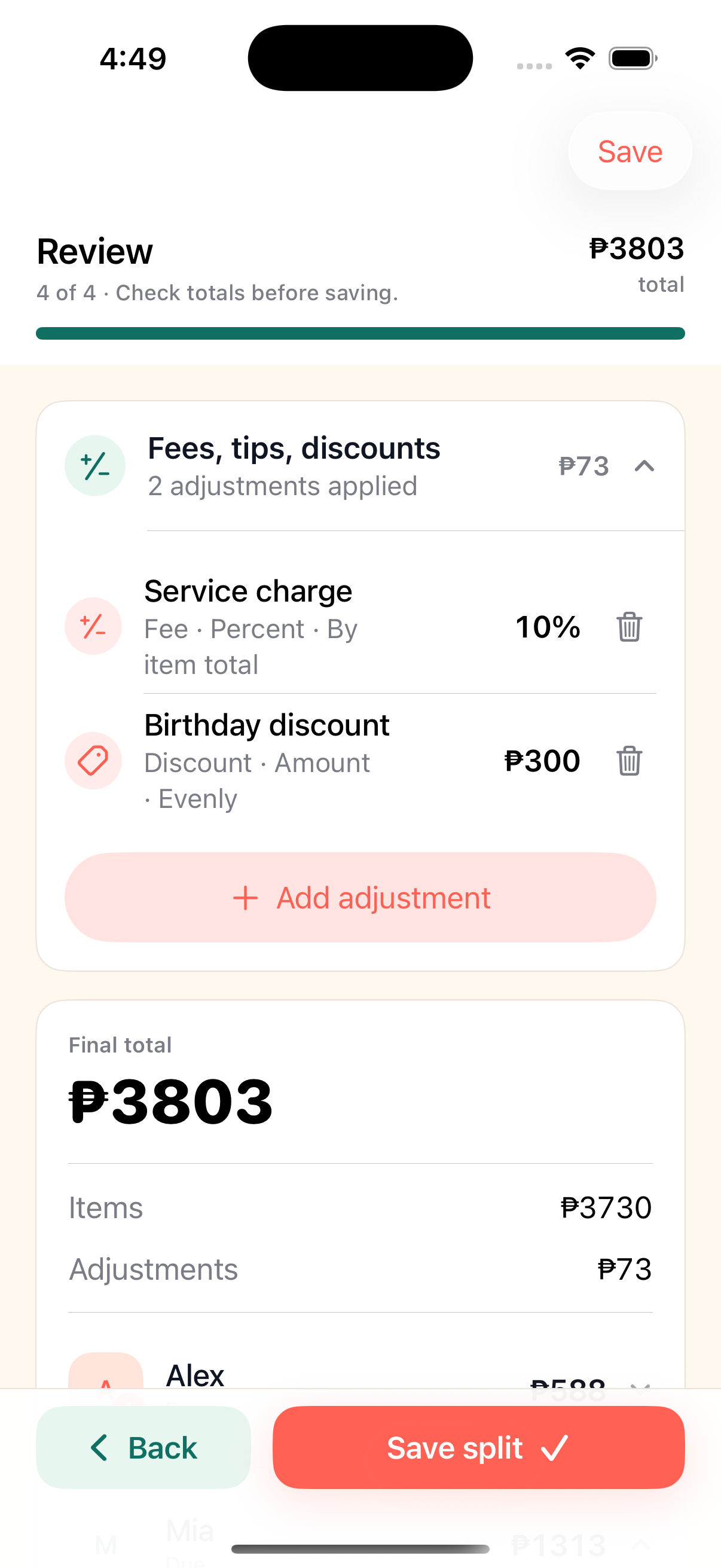
Step 4: Add service charge, discounts, and rounding
After item assignments, add bill-level adjustments. Service charge can be equal or based on item total. Discounts can be applied to everyone or only to the people they affect. Rounding can help the final collection use cleaner peso amounts.
Check the final total against the receipt before sharing. If the numbers do not match, fix the bill before people pay.
Step 5: Share the breakdown
Send a link instead of a long manual message. A link gives everyone the current breakdown and avoids the problem of old screenshots being forwarded after the bill changes.
With Hati, friends can open their amount in the browser, copy payment details, and mark themselves paid.
Step 6: Track payment after people leave
The collection usually continues after dinner. Some people pay immediately. Some send partial amounts. Some forget until the next day.
Keep paid status attached to the bill. That lets the organizer follow up clearly without reconstructing the whole split from chat.
Common questions
Before the next bill.
Should service charge be split equally?
It depends on the group. Equal splitting is simple, while item-total splitting asks bigger orders to absorb more of the charge.
How should shared food be split?
Assign each shared item only to the people who ate it. Do not spread it across the whole group unless everyone shared it.
What is the easiest way to collect after KKB?
Send the exact amount with payment details and track who has paid. Hati keeps those pieces on one link.
More Hati guides
Keep the next split cleaner.
Alternatives
Splitwise Alternative for KKB in the Philippines
A practical Splitwise alternative for quick KKB restaurant bills in the Philippines: one person creates the split, friends open browser links, and paid status stays visible.
KKB
KKB Bill Splitter for Friends and Barkada Meals
Split KKB bills with Hati. Add people, assign shared dishes, include service charge and discounts, then send browser payment links.
Sharing
Split Bills With One Link
Hati lets one person create a split in the iPhone app while everyone else opens a browser link to see their amount and mark paid.