KKB bill splitter
KKB without the group chat math.
Hati turns the usual after-dinner collection into a simple flow: list the people, assign the food, review the fees, then send one link or personal payment links.
KKB
KKB Bill Splitter for Friends and Barkada Meals
Why KKB gets messy
KKB sounds simple until the orders are uneven. Someone shared food but skipped drinks. Someone had dessert alone. A discount applies to the whole receipt. The restaurant adds service charge. Then everyone asks, "Magkano ako?"
The hard part is not only calculating the total. The hard part is keeping the explanation clear enough that friends trust the number and pay without another round of chat.
A cleaner way to split
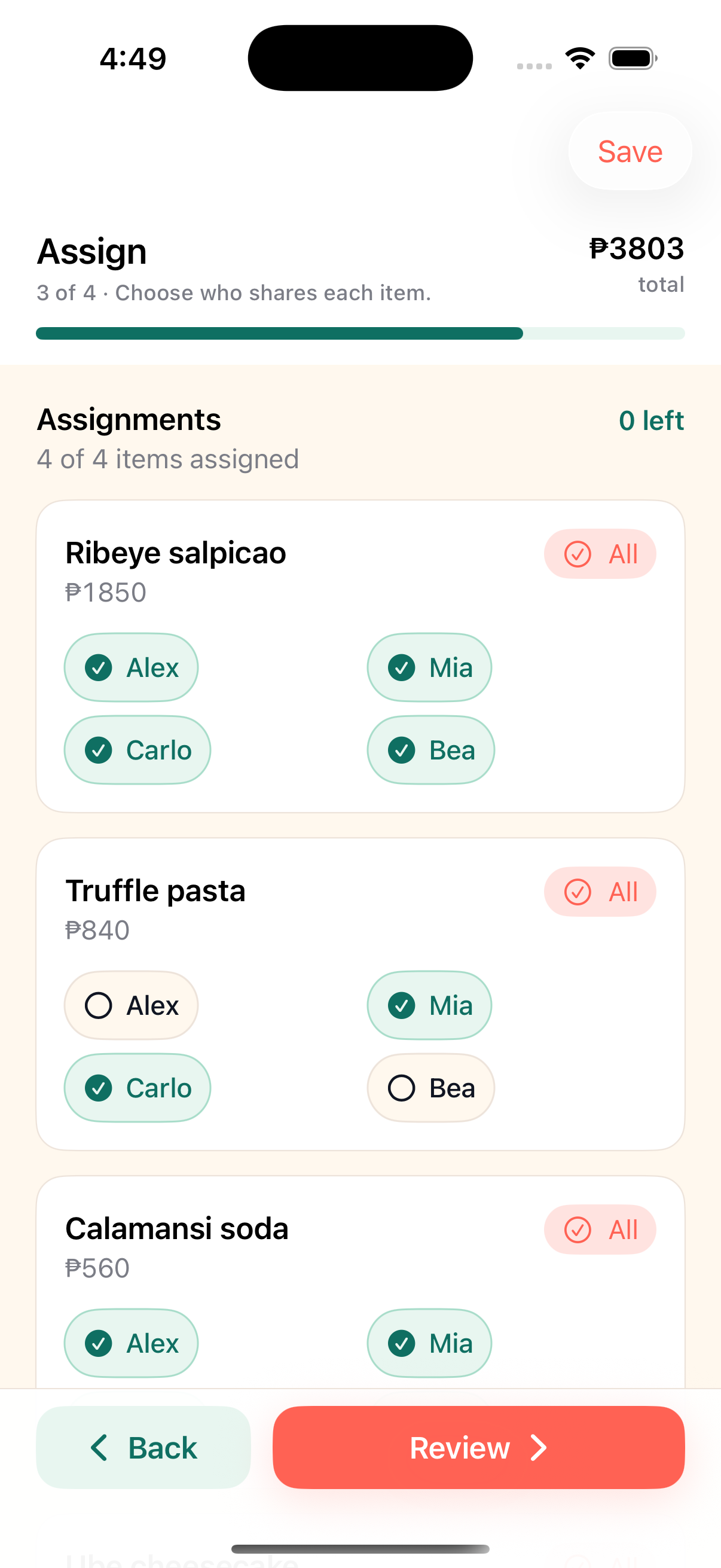
Start with the people at the table. Then add receipt lines one by one. Assign each line to the people who ate it. Keep shared dishes shared and solo items solo.
After the items are assigned, add the receipt-level math: service charge, discounts, tips, and rounding. Hati keeps the total in PHP centavos so the breakdown is deterministic and the final amount can match the receipt.
Suggested KKB workflow
- Add the people in the split.
- Add the receipt items with quantity and price.
- Assign each item to the people who shared it.
- Add service charge, tax, discount, tip, or rounding.
- Review the final total.
- Share the group link or personal payment links.
- Track who has paid.
What to do with service charge
There are two common approaches. If the group wants every person to absorb the same service fee, split it equally. If bigger orders should carry more of the charge, allocate it by item total.
Hati supports both styles. The organizer can pick the allocation that matches the group's expectation instead of forcing every adjustment into the same rule.
What to do with discounts
Discounts can be social. A birthday discount might belong to one person. A promo discount might apply to the whole bill. A manual correction might only affect people who ordered a specific item.
Hati supports specific-person adjustments so those cases can be handled without changing the item list.
Why links are better than screenshots
A screenshot freezes the math, but it does not track payment. A Hati link gives each person the current amount and lets them mark paid after sending money. If someone pays partially, the remaining balance stays attached to the bill.
That matters when the organizer is collecting from a group after everyone has already gone home.
Common questions
Before the next bill.
Can Hati split shared food?
Yes. Assign one item to multiple people when they shared it, and assign solo orders to only the person who ordered them.
Can people pay partially?
Yes. The participant page supports unpaid, partial, and fully paid states.
Does Hati support GCash or Maya?
Hati does not process payments, but the organizer can save and show payment details such as GCash, Maya, bank transfer, or cash instructions.
More Hati guides
Keep the next split cleaner.
Alternatives
Splitwise Alternative for KKB in the Philippines
A practical Splitwise alternative for quick KKB restaurant bills in the Philippines: one person creates the split, friends open browser links, and paid status stays visible.
Sharing
Split Bills With One Link
Hati lets one person create a split in the iPhone app while everyone else opens a browser link to see their amount and mark paid.
Receipts
Receipt Splitter for Long Restaurant Bills
Use Hati to split restaurant receipts, review optional Hati AI imported lines, assign shared food, and track paid status with browser links.