Receipt splitter
Long receipt, cleaner split.
Hati keeps receipt lines, shared dishes, service charge, discounts, and payment status in one reviewed workflow. Manual entry is free; Hati AI receipt import is there when the bill is too long to type.
Receipts
Receipt Splitter for Long Restaurant Bills
A receipt splitter needs item-level math
Splitting a receipt by total is rarely enough. Restaurant bills include shared plates, individual orders, drinks, service charge, discounts, and sometimes manual corrections. A useful receipt splitter keeps those details visible.
Hati starts from receipt lines. Each item can have a quantity, unit price, line total, and assigned people. That makes the final KKB amount easier to explain because each person's share traces back to the food they actually shared.
Manual entry stays free
Hati's core workflow is manual and free. You can type the bill, assign items, add adjustments, and share links without paying for receipt import.
That matters because manual entry is still the most reliable option for short receipts or messy restaurant formatting. AI should speed up long receipts, not replace review.
Hati AI receipt import is review-first
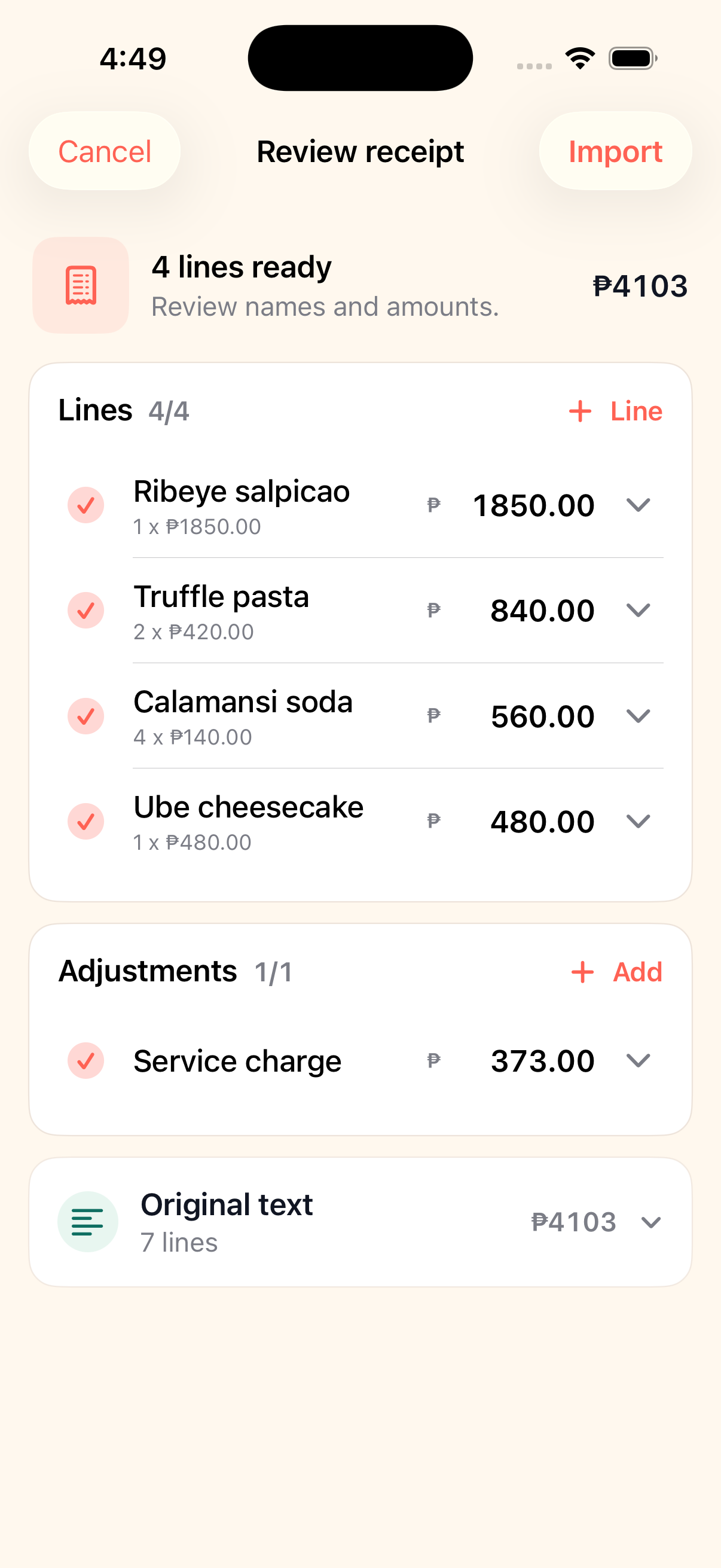
When the receipt is too long to type, Hati can use Hati AI receipt import to draft the lines. The organizer still reviews the result before adding it to the split.
That review step is important. Receipt photos can be blurry, menu names can be shortened, and totals can include charges in unexpected places. Hati treats imported receipt details as a draft, not as the final bill.
How Hati handles fees and discounts
After items are assigned, Hati can apply service charge, tip, tax, discounts, and manual adjustments. Adjustments can be split equally, allocated by item total, or targeted to specific people.
That covers common PH restaurant cases: a service charge across the table, a promo discount for the full bill, a senior discount for one person, or a small rounding correction before collecting.
Why payment tracking belongs with receipt splitting
The receipt math is only half the job. The organizer still needs to know who paid. Hati keeps paid, partial, and unpaid states beside the split so collection does not depend on reading back through chat.
Participants can open a browser link, see the amount, copy payment details, and mark paid. Hati does not move money; it keeps the collection state clear.
Common questions
Before the next bill.
Is AI receipt import required?
No. Manual entry is free. Hati AI receipt import is optional for long receipts.
Can imported receipt lines be edited?
Yes. Hati shows a review step before imported receipt lines are added to the split.
Can I edit a receipt after import?
Yes. Hati shows a receipt review step so you can check item names, quantities, prices, and adjustments before adding them to the split.
More Hati guides
Keep the next split cleaner.
Alternatives
Splitwise Alternative for KKB in the Philippines
A practical Splitwise alternative for quick KKB restaurant bills in the Philippines: one person creates the split, friends open browser links, and paid status stays visible.
KKB
KKB Bill Splitter for Friends and Barkada Meals
Split KKB bills with Hati. Add people, assign shared dishes, include service charge and discounts, then send browser payment links.
Sharing
Split Bills With One Link
Hati lets one person create a split in the iPhone app while everyone else opens a browser link to see their amount and mark paid.